One Week with GrokBot: A Real Browser Virtual Assistant
Field notes after 7 days with GrokBot: inbox cleared, school portals tamed, voice mode, deterministic secret injection, coding limitations, and syncing with Claude / Codex via Trello without an A2A protocol.
After a full week of using GrokBot every day, one thing stands out: this finally feels like a true turn-key virtual assistant — especially compared to OpenClaw, one of the main open-source alternatives, which requires significantly more configuration and debugging to achieve the same experience (most notably for voice input). Still, as soon as you need frontier-level coding or phone calls outside the US, manual configuration kicks back in.
Here is what I actually got done in 7 days, what makes its architecture click, and how to pair it with a frontier coding agent without needing a full Agent-to-Agent (A2A) protocol.
What GrokBot Handled in Week One
In seven days, without writing brittle scraping scripts, I offloaded a wide range of real-world chores:
- Inbox cleared: took my inbox from 232 emails down to 1.
- City hall follow-up: followed up with the municipality and submitted a formal request to calm traffic in my neighborhood.
- Taming Pluriportail: set up a bot to monitor school emails trapped behind a notoriously terrible, near-unusable portal UI (Pluriportail). It alerts me for pedagogical day bookings and already booked 2 parent-teacher meetings completely autonomously — one directly through the web UI and the other by emailing back and forth with my younger daughter’s teacher.
- Weekend planning: a bot dedicated to finding fun family activities for the weekend.
- Medical follow-up: handled my sleep apnea follow-up with a doctor at the Biron clinic.
- Evening homework: a bot that takes my older daughter’s weekly study plan from her teacher and turns it into printable exercise worksheets for evening lessons by consulting her digital workbooks.
A Turn-Key Experience with Smart Engineering Underneath
What separates GrokBot from a basic chat wrapper is the default infrastructure it ships with:
1. Deterministic Secret Injection via Vault
GrokBot includes a credential vault to store the secrets it needs to act on your behalf. Whenever a form requires sensitive fields like a password or credit card, the model cannot read the secret. Instead, it invokes a deterministic tool that fills in the credentials, submits the form, and hands control back to GrokBot. There is zero risk of your secrets ending up in a training dataset.
2. Always-On Cloud VM
By default, GrokBot runs on a cloud virtual machine. Tasks keep running even after you close your laptop, and you can check in or trigger work 24/7 from the mobile app.
3. Voice Mode Over UDP
The voice experience is genuinely polished: audio streams over UDP rather than WebSocket. Audio quality is crisp, responsive, and you can actually talk to it naturally to get real tasks done.
4. An Opaque Usage Quirk
One curious observation: right after I opted in to sharing data to improve the product, my reported usage dropped in half (12% → 6%). I can’t say whether that’s a coincidence — I couldn’t find any documentation explaining it, and usage metrics overall remain opaque.
5. Bundled Subscriptions: X and Cursor (With a Catch on 3rd-Party Models)
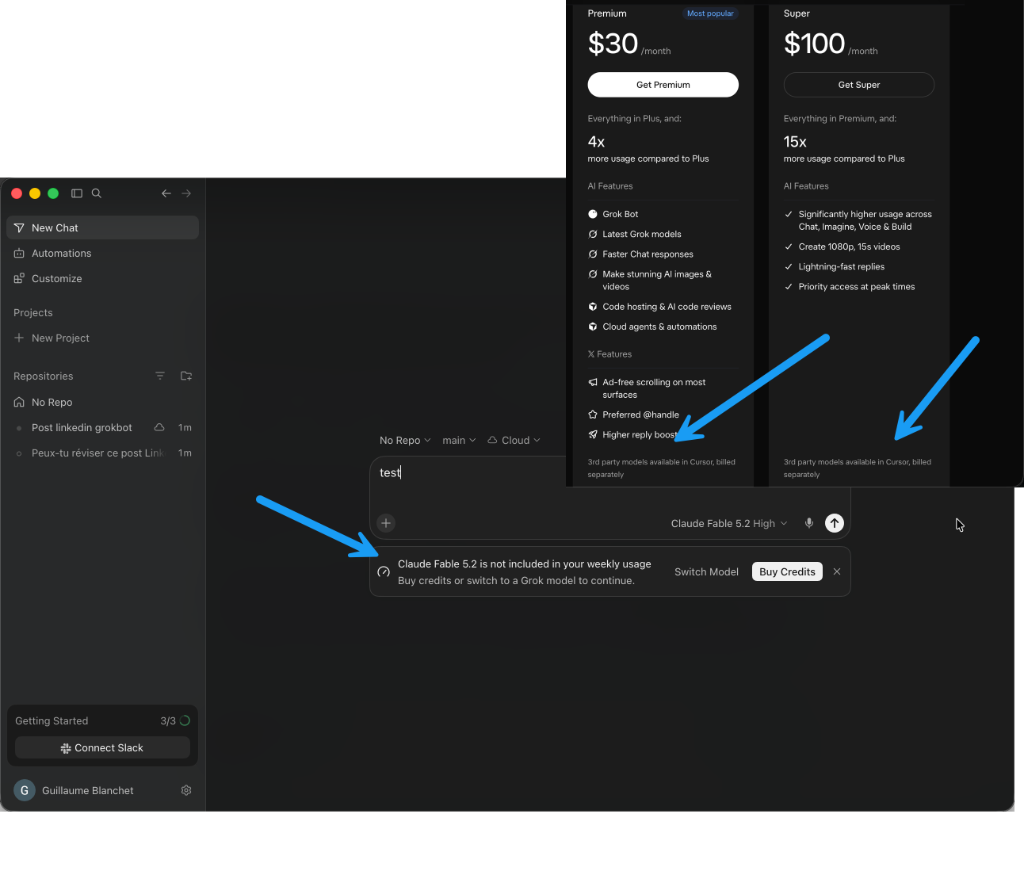
GrokBot also comes bundled with X and a Cursor subscription. However, third-party models are not included in your weekly usage: as shown in the pricing tiers and inside Cursor, they are billed separately via extra credits. Without paying extra, you are effectively limited to Grok models in the IDE:
Where It Falls Short
As capable as it is, GrokBot still has clear boundaries:
- Phone calls are US-only: GrokBot can call businesses to make reservations for you, but that feature is currently restricted to the United States. Outside the US, you have to wire up VoIP yourself using Twilio, VoIP.ms, or another provider.
- Not frontier-grade for complex coding: GrokBot is a strong general-purpose AI, but it isn’t at the frontier for complex software engineering or deep technical tasks.
Handing Off Coding Tasks to Cursor via Trello (No A2A Needed)
To bridge the coding gap, you basically need to buy another subscription from Anthropic or OpenAI (or pay for extra credits) and run a second machine (cloud or local) with a frontier coding model like Astra or Claude Opus 5.5. GrokBot can actually spin up a Cursor Cloud agent on its own, but you don’t get to control the model it uses (my guess is it defaults to their in-house Composer 2.5, which costs less than the others).
Instead of setting up a formal A2A (Agent-to-Agent) protocol between systems, a shared Trello board works remarkably well as an asynchronous synchronization point:
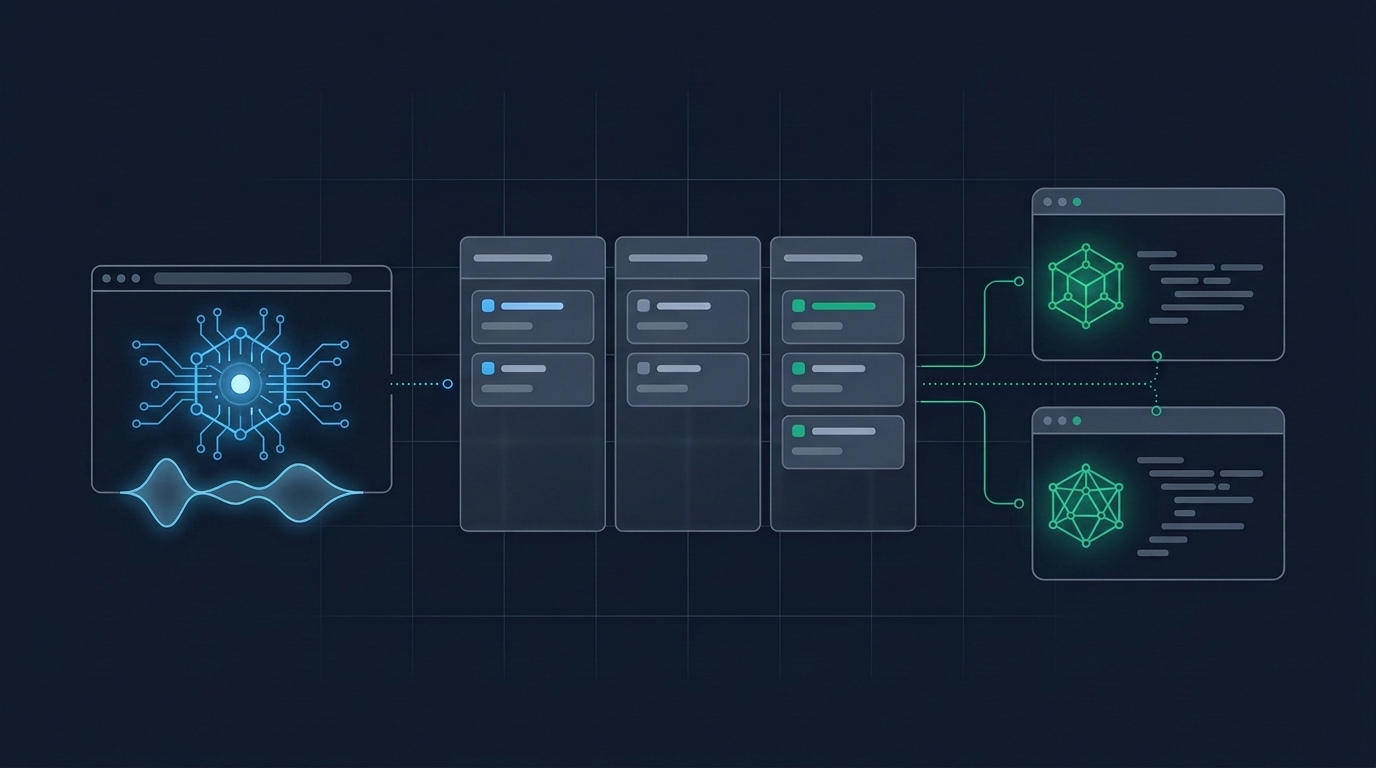
Handles emails, portals, web QA & creates coding cards
Turn-key for browser & daily ops
Polls Trello periodically, picks up cards & ships complex code
The workflow is straightforward:
- GrokBot handles daily ops, voice requests, and browser work, and drops a card on Trello whenever a complex coding task comes up.
- Claude / Codex / Cursor periodically polls the board, picks up the card, ships the code, and updates its status.
With a simple shared board like this, you don’t need an A2A protocol. That said, it does require manual configuration to wire up and maintain — it is definitely not turn-key.
Bottom Line: Tim Ferriss’s Virtual Assistant, Built for Web QA
There is still setup work involved if you want to pair GrokBot with frontier coding models or give it a phone line outside the US.
Still, the standout takeaway is unmistakable: GrokBot is extraordinarily effective at controlling a web browser. In practice, it delivers the exact experience of the virtual assistants Tim Ferriss described in The 4-Hour Workweek.
That also gives it massive potential for web application QA. You can talk through your acceptance criteria out loud; it learns and remembers what you tell it, adapts when requirements shift, and runs end-to-end tests in the browser completely autonomously — far more reliably than Claude or Codex, which constantly stop mid-task.